Browser Use vs Skyvern vs Firecrawl for web workflows
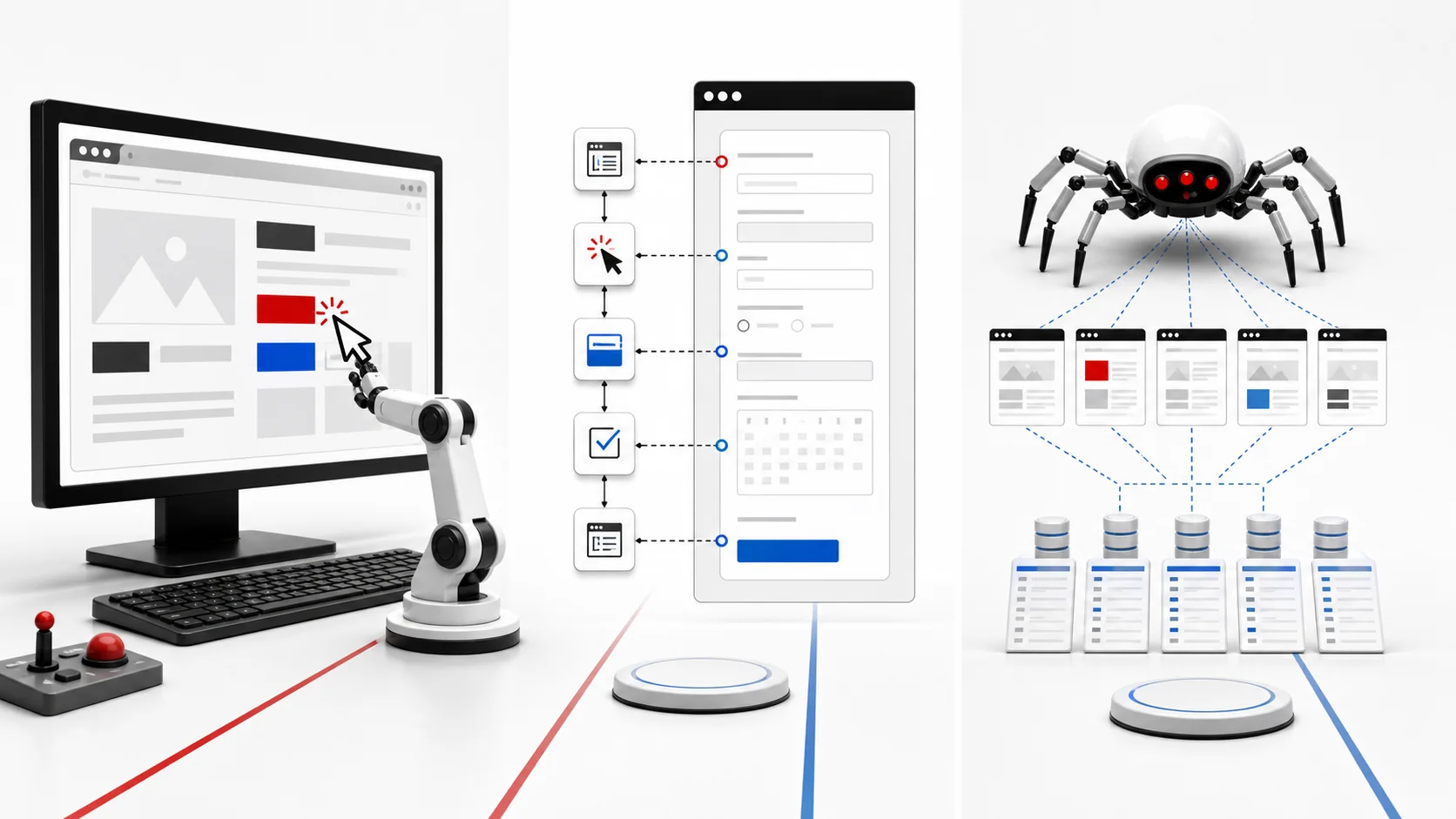
Browser Use and Skyvern act through browser sessions; Firecrawl primarily turns public web content into structured data. That boundary should be decided before comparing features.
Compare the tools behind this article on ToolVerse.
Open ToolVerse for evidence, pricing context, alternatives, and current review status. Every link below navigates to the external ToolVerse directory.
Compare Browser Use and Skyvern and Firecrawl Open on ToolVerse · externalBottom line
The three products should not be placed in one undifferentiated “web agent” category. Browser Use and Skyvern are designed around operating a browser. Firecrawl is designed around retrieving and normalizing web content. One produces actions in a session; the other produces data for an application.
Start by writing the output contract. If the output is Markdown, structured records, search results, or a set of pages, test Firecrawl first. If the output is a completed form, downloaded file, changed account setting, or transaction state, test Browser Use or Skyvern. If the workflow needs both, split collection and action into separately observable stages.
Three different operating surfaces
| Product | Primary job | Typical output | Main operational risk |
|---|---|---|---|
| Browser Use | Natural-language browser interaction and agent sessions | Task result plus session activity | Dynamic interfaces, authentication, ambiguous page state |
| Skyvern | AI-driven browser workflow automation | Completed multi-step browser workflow | Workflow recovery, credentials, website changes |
| Firecrawl | Search, crawl, scrape, and structured extraction | Content or structured web data | Crawl scope, freshness, extraction fidelity, site policy |
This is not a capability ceiling. It is the cleanest way to reason about the core responsibility each product advertises in official documentation reviewed July 11, 2026.
Use extraction when action is unnecessary
Teams often reach for a browser agent because it can visibly visit a page. That visibility is appealing, but a browser session is an expensive and failure-prone way to retrieve public content when an API can return the data directly.
For competitive research, knowledge ingestion, search augmentation, catalog monitoring, or page-to-Markdown conversion, evaluate Firecrawl’s search, scrape, crawl, and extraction interfaces. Define allowed domains, crawl depth, update frequency, duplicate handling, and the schema expected downstream. Keep raw source URLs and timestamps so a model-generated summary can be traced back to the page.
Extraction still requires governance. Check site terms, robots behavior, personal data, copyrighted material, and retention. A successful HTTP response does not establish permission to reuse content.
Use a browser agent when the state is interactive
Browser Use and Skyvern become relevant when the workflow depends on a browser’s session state: authentication, navigation, controls, forms, downloads, or changing UI. Their value is not merely reading the DOM. It is reasoning over and acting within an interface.
That flexibility creates risk. A button label may change. A modal may block the next step. A session may expire. A model may mistake a confirmation screen for completion. Design the automation around checkpoints rather than one long instruction.
For every consequential step, capture the intended state, observed state, action, evidence of success, and recovery path. Require approval before payments, submissions, deletions, or messages to external parties. Use separate credentials with the minimum required permissions.
Browser Use selection notes
Browser Use offers an agent-oriented path for natural-language web tasks and documents cloud sessions and SDK access. It is compelling for teams that want to give an agent a goal and inspect the resulting browser run. Test it on the actual authentication and interaction patterns in scope, not only public demo sites.
Measure completion rate, intervention rate, average steps, latency, cost, and state-verification accuracy. A run that reports success without validating the resulting system state should count as a failure.
Skyvern selection notes
Skyvern is oriented toward browser workflow automation and emphasizes operating across websites through visual and semantic understanding. It belongs in evaluations where an operations process crosses pages, forms, and variable layouts.
The strongest pilot is a bounded workflow with known outcomes, such as retrieving a document from a portal or entering a record in a test environment. Seed expired credentials, unexpected popups, and changed labels. Review how the platform exposes retries, logs, artifacts, and human intervention.
Firecrawl selection notes
Firecrawl is a developer data layer rather than a general transaction agent. Its official materials focus on search, scraping, crawling, and extraction suitable for LLM applications. It can simplify the path from a URL or query to normalized content.
Test extraction fidelity on JavaScript-heavy pages, tables, pagination, duplicate templates, and content that changes after load. Verify what the API returns when a page is blocked or only partially rendered. Store enough provenance to distinguish “no result” from “the crawler could not access the result.”
A combined architecture
A reliable combined workflow uses Firecrawl for discovery and broad collection, then queues only the records that require interactive action. A browser agent receives a narrow task with explicit inputs and a success check. The resulting state is recorded independently of the model’s narrative response.
For example, a procurement workflow may crawl vendor documentation, extract support and security pages, and flag missing evidence. A browser agent may then enter a vendor portal only when an authorized reviewer requests a current report. Collection can run at scale; action remains constrained.
Evaluation protocol
Create 30 tasks across three groups: read-only public collection, authenticated read-only navigation, and state-changing actions in a sandbox account. Run each task several times because browser automation is stochastic and websites vary.
Track exact completion, partial completion, false success, human intervention, retries, elapsed time, model and browser cost, and any unintended side effect. Review screenshots or session artifacts for failed cases. Re-run the set after a model, browser runtime, or site changes.
Limitations and verification
Hosted plans and API limits change. Verify current pricing, concurrency, retention, credential handling, region availability, and support terms on official product pages. Open-source repositories may not include the same capabilities as hosted services. “Not verified” is the correct answer when a required control is absent from current documentation.
Sources were reviewed July 11, 2026. No universal completion-rate claim is made because reliability depends on task, website, model, session, and success criteria.
Authentication and credential design
Authenticated automation should use dedicated service or test accounts where the target system permits them. Store credentials in a managed secret system and inject them only into the browser session that needs them. Do not place passwords, recovery codes, or long-lived session cookies in prompts.
Decide whether the platform stores browser profiles and for how long. Verify encryption, tenant isolation, administrator access, export, revocation, and deletion. A persistent profile improves convenience while increasing the value of a compromised session.
Test sign-in failure, multifactor prompts, expired sessions, account lockout, and consent screens. The correct response is often human intervention rather than model improvisation. Record the authentication state without writing secrets to traces.
Success verification
Every task needs an external success check. A browser agent’s final sentence is not evidence. Read the resulting record through an API, revisit the confirmation page, verify a downloaded file checksum, or query the target system in a separate step.
Use preconditions and postconditions. Before submitting a form, confirm the intended account, record, and values. After submission, confirm the generated identifier and exact persisted state. If verification is unavailable, mark the run for review rather than “completed.”
For extraction, verify row counts, required fields, source coverage, and sample fidelity. Keep raw page references. An empty result should distinguish no matching content from access failure, timeout, or parser error.
Website change management
Treat target websites as external dependencies. Track interface changes and maintain a small canary task for each critical site. Run canaries on a schedule and alert before the main workflow accumulates failures.
Browser agents may tolerate visual changes better than selector-only automation, but semantic ambiguity remains. A renamed action can change meaning. A new interstitial can request consent. Review failures by state category so the team knows whether to update instructions, add deterministic handling, or pause automation.
Respect rate limits and avoid parallel sessions that resemble abuse. Coordinate with system owners for internal portals and high-volume use.
Data extraction quality
For Firecrawl-oriented workflows, create a schema with required and optional fields and define how missing values are represented. Compare extracted values with a manually labeled sample. Test pagination, nested pages, dynamic content, locale variants, and duplicate templates.
Store crawl time and source URL for every record. If the page changes, the team should be able to identify which downstream answers used the older version. Consider retaining a content hash rather than a full copy when policy limits storage.
Do not let a language model silently repair malformed facts. Schema repair may make JSON valid while changing meaning. Route low-confidence or incomplete extraction to review.
Human review experience
Human intervention must be fast enough to use. Show the task goal, current page or extracted record, proposed action, relevant evidence, and consequences. The reviewer should approve a specific action, not grant a vague “continue” permission.
After correction, decide whether the run resumes from a checkpoint or starts again. Preserve the correction as an evaluation case. Repeated intervention on the same state is a signal to redesign that step deterministically.
Cost and throughput
Interactive browser sessions consume model calls, browser compute, and wall-clock time. Extraction APIs consume crawl and processing capacity. Compare cost per verified record or completed transaction, including retries and review.
Use a routing rule to keep easy pages on deterministic extraction. Reserve agents for ambiguous interaction. Batch read-only collection when allowed, but keep state-changing tasks serialized when order matters.
Set concurrency and spending limits before production. A queue backlog should not trigger unlimited browser sessions after an outage clears.
Procurement record
Verify hosted versus open-source feature differences, current pricing units, concurrency, browser regions, proxy support, retention, audit artifacts, and support. Review whether the vendor permits export of traces and session recordings. Confirm how credentials and personal data are handled.
For every target website, document allowed use and an owner who can pause the automation. The tool vendor cannot grant permission to automate a third-party service.
Rollout sequence
Begin with public, read-only collection and a small labeled sample. Next add authenticated read-only navigation in test accounts. Introduce state-changing actions only after external verification and human approval work reliably. Keep the stages as separate queues so a collection spike cannot automatically create a spike in consequential browser actions.
During rollout, publish a runbook for expired credentials, website redesigns, partial completion, duplicate submissions, and vendor outages. Give operators a global pause control and a per-site pause control. Review the first production runs manually and retain their artifacts long enough to improve the evaluation set. Expansion should require evidence that completion, false-success, intervention, and cost remain inside the agreed thresholds.
Name the person responsible for each target site and require that owner to approve material workflow changes before they reach production accounts.
Decision
Do not buy an interactive agent for an extraction problem, and do not expect a crawl API to complete a transaction. Separate data collection from browser action, minimize the number of state-changing steps, and require evidence that the final system state matches the request.
FAQ
Can Firecrawl fill forms or complete browser transactions?
Firecrawl is primarily a web search, crawl, scrape, and extraction layer. Workflows requiring interactive sessions should be evaluated with a browser automation tool.
Are browser agents reliable enough for unattended automation?
Only after workload-specific testing, credential controls, retries, monitoring, and clear recovery rules. Website changes and ambiguous states remain important failure modes.
Should a workflow combine these tools?
Yes when roles are explicit: use extraction for broad collection and invoke an interactive browser only for tasks that genuinely require navigation or action.